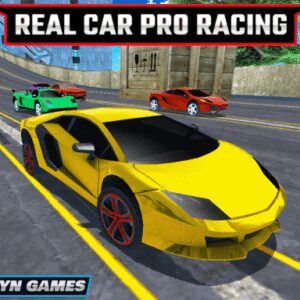
Step into the world of Parking Car 3D. Parking Car 3D is one of the most popular Racing titles available today. Whether you are at home, school, or work, enjoy seamless gameplay directly in your web browser with complete ease.
⚙️ Game Specifications
| Game Title | Parking Car 3D |
|---|---|
| Genre / Category | Racing |
| Platform Support | Desktop (Windows/Mac), Mobile (iOS & Android) |
| Technology | HTML5 / WebGL Canvas |
| Controls | Keyboard, Mouse & Touchscreen |
🌟 What is Parking Car 3D?
Drive the car to the parking spot. Avoid any collision with other cars or walls. Park fast and safely to get more score. There are multiple challenging levels in this game. Complete all of them to be a winner.
🕹️ How to Play Parking Car 3D
Mouse click or tap to play
- Desktop: Use Keyboard (WASD / Arrows / Spacebar) & Mouse Click.
- Touch Devices: Fully responsive on-screen virtual controls.
🔥 Why You Should Play Parking Car 3D
- 100% Free & Unblocked: No download, payment, or account creation needed.
- Universal Compatibility: Runs smoothly across Android, iPhone, iPad, and desktop.
- High-Performance Graphics: Powered by modern WebGL for crisp visuals and stable frame rates.
- One-Click Fullscreen: Switch to true full-screen mode effortlessly.
❓ Frequently Asked Questions
Q: Is Parking Car 3D unblocked at school or work?
A: Yes, Gblg.Online – Play the Best Arcade Games in One Click delivers games via secure HTTPS protocols, allowing unblocked browser access on most educational and workplace networks.
Q: Where can I play Parking Car 3D without downloading?
A: You can play Parking Car 3D directly on Gblg.Online – Play the Best Arcade Games in One Click by clicking the play frame above. It runs instantly in any modern web browser with no download or setup.
Q: Can I play Parking Car 3D on iPhone or Android?
A: Yes! Parking Car 3D is built with responsive HTML5 technology and runs smoothly across smartphones, iPads, tablets, and desktop computers.